 Dungeon Field Guide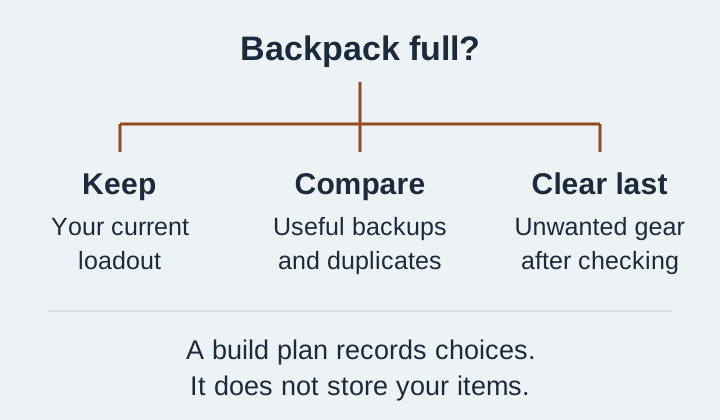
Is there a storage chest to unlock?
The launch-version storage complaint is about a missing stash, rather than a hidden chest you need to find. Avoid following a first-game camp-storage walkthrough for Dungeons II. Do not discard gear on the expectation that it will transfer to another hero or become recoverable from a storage box. A future storage feature needs its own in-game instructions; there is no unlock route to follow here.
Keep, compare, then clear space
- Your equipped setup
- Decision Keep it until a replacement works in the same slot.
- A backup with a different role
- Decision Compare the effect you actually use, rather than keeping every duplicate.
- An enchanted item
- Decision Check your enchantment point balance before replacing it; do not assume a salvage refund.
- A unique you collect
- Decision Decide whether collection matters more than the space; a familiar name is not an automatic reason to discard it.
- An unwanted duplicate
- Decision Compare both copies first. Salvage only the one you have decided you do not need.
Compare one slot at a time
- Open your equipment view somewhere you can safely inspect it. Work through melee, ranged, each armor slot, artifacts and talismans separately.
- Choose the gear for your next run. Save its names in the loadout planner so you can compare a later drop without relying on memory.
- Keep a backup only when you can name its job, such as a different active ability or an alternative you want to test. A written plan is a decision aid, not extra inventory capacity.
- Remove unwanted gear only after the comparison. Avoid using an item you care about to test whether salvaging returns enchantment points.
Salvaging is not a guaranteed enchantment refund
Players describe different outcomes when salvaging enchanted gear. Do not budget a new build around getting every point back. If you test with an unwanted item, record the balance before and after; keep valuable items out of that experiment. Read the enchantment and refund guide before clearing an enchanted backup.
Full inventory or an artifact you cannot equip?
A failed artifact activation or a stuck equipment menu is a different problem from running out of storage. Use the artifacts-not-working checks if an ability stays unusable after its resource and cooldown checks. The equipment catalogue can help distinguish active artifacts from passive talismans while you compare your slots.